Conformance and Usage
Before working with the standard, familiarise yourself with the terminology used throughout and how to approach completing a document.
Terminology
Section titled “Terminology”The key words “SHALL”, “SHALL NOT”, “SHOULD”, “SHOULD NOT”, “MAY”, and “OPTIONAL” in this standard are to be interpreted as described in RFC 2119 and RFC 8174. These RFCs define the meaning of requirement keywords used in technical standards.
| Keyword | Meaning |
|---|---|
| SHALL | An absolute requirement of the standard |
| SHALL NOT | An absolute prohibition |
| SHOULD | Recommended; there may be valid reasons to deviate, but the architect must understand the implications |
| SHOULD NOT | Not recommended; there may be valid reasons to include but the implications must be understood |
| MAY / OPTIONAL | Truly optional; include at the author’s discretion |
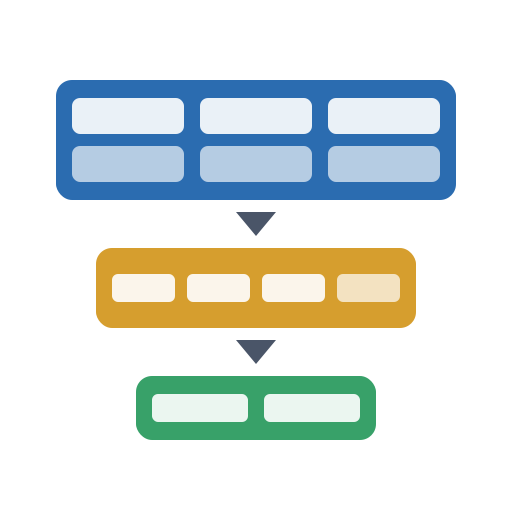
These keywords map to the standard’s documentation depths as follows:
| Documentation Depth | Keyword | Governance Gate |
|---|---|---|
| Minimum | SHALL | Development / Test review |
| Recommended | SHOULD | Production approval |
| Comprehensive | MAY | Enterprise review |
Acronyms used throughout the standard
Section titled “Acronyms used throughout the standard”ADS-specific acronyms:
| Acronym | Expansion | Where it appears |
|---|---|---|
| ADS | Architecture Description Standard | This standard itself |
| SAD | Solution Architecture Document | The document you produce |
| HLD | High Level Design | The architectural-views and quality-attributes content within a SAD |
| ADR | Architecture Decision Record | Section 3.6.2 — captures the context, options, and consequences of a significant design decision |
| RAID | Risks, Assumptions, Issues, Dependencies | Section 6 — the four governance registers tracked across the SAD’s life |
| ARB | Architecture Review Board | An organisation’s governance forum that reviews and approves architectures |
Common industry acronyms used in examples, templates, and prompts (defined here so new readers can follow without leaving the page):
| Acronym | Expansion | Context |
|---|---|---|
| IaaS | Infrastructure as a Service | Cloud service model — provider supplies virtualised compute, storage, and networking; consumer manages everything above (OS, runtime, app) |
| PaaS | Platform as a Service | Cloud service model — provider supplies the runtime/platform; consumer manages only the application and data |
| SaaS | Software as a Service | Cloud service model — provider supplies the application; consumer manages only their data and configuration |
| RBAC | Role-Based Access Control | Authorisation model — permissions are granted to roles, and users are assigned to roles |
| GDPR | General Data Protection Regulation | EU/UK regulation governing personal data; relevant to Section 3.4 Data View and Section 2.3 Compliance |
Getting Started
Section titled “Getting Started”Use the workflow below to complete a Solution Architecture Document. Each step builds on the previous one.
Step 1 — Choose your depth. Pick the documentation depth for your project:
- Minimum — Early-stage designs, proofs of concept, dev/test reviews
- Recommended — Production-bound designs requiring governance approval
- Comprehensive — Critical, regulated, or enterprise-scale systems
Step 2 — Set the context (Sections 0–2). Start with document control, the executive summary, and stakeholders. This frames everything that follows.
Step 3 — Describe the architecture (Section 3). Work through each architectural view. A common starting order is the Logical View (what the solution does), then Physical View (where it runs), then the remaining views.
Step 4 — Assess quality (Section 4). Evaluate the design against each quality attribute. Document any tradeoffs between them.
Step 5 — Plan the lifecycle (Section 5). Document how the solution is built, deployed, operated, and eventually retired.
Step 6 — Capture decisions and risks (Section 6). Document constraints, assumptions, risks, dependencies, and issues. Record key architecture decisions.
Step 7 — Complete appendices and submit (Section 7). Add glossary, references, and approval sign-off. Complete the compliance scoring table and submit for governance review.
What to include and what to skip
Section titled “What to include and what to skip”- Omit sections that require a higher documentation depth than your target. For example, if your target is Recommended, omit sections marked Comprehensive. Do not include higher-depth sections with empty or “N/A” content.
- Omit sections at or below your target depth that are genuinely not relevant to the solution (e.g., IoT Devices for a cloud-only API).
- Only include sections that add value to the reader.
Document Lifecycle
Section titled “Document Lifecycle”A Solution Architecture Document produced to this standard is a living artefact:
- It SHALL describe the current state of the solution architecture
- The SAD SHALL be updated when architecturally significant changes are made
- It MAY be updated by multiple teams or change activities, either sequentially or in parallel
- It SHALL NOT be owned by a single project team; ownership rests with the accountable architect for the solution
- Changes to the design SHOULD be approved through the organisation’s architecture governance process
Output Formats
Section titled “Output Formats”The standard’s JSON Schema enables generation and validation in multiple formats:
| Format | Use Case |
|---|---|
| Web | Interactive documentation site (this site) |
| Markdown | Inclusion in git repositories alongside code |
| YAML | Human-readable structured data, ideal for version control and configuration |
| JSON | Machine-readable for tooling integration and validation |
| Word / DOCX | Formal governance submissions and offline review (generated from Markdown) |
See Templates for downloadable blank templates in each format.
Architecture Compliance Scoring
Section titled “Architecture Compliance Scoring”Each major section of a Solution Architecture Document MAY be assessed using a 0–5 compliance score. This provides governance boards with a quick, quantitative view of architecture maturity and completeness — both for individual SADs and across a portfolio.
Scoring Scale
Section titled “Scoring Scale”| Score | Level | Description |
|---|---|---|
| 0 | Not Addressed | No evidence or content provided for this area |
| 1 | Acknowledged | The concern is recognised but no design or evidence exists |
| 2 | Partial | Some requirements addressed; significant gaps remain |
| 3 | Mostly Addressed | Most requirements met; minor gaps or risks requiring mitigation |
| 4 | Fully Addressed | All requirements met with supporting evidence |
| 5 | Exemplary | Best-practice implementation; could serve as a reference example |
Where Scoring Applies
Section titled “Where Scoring Applies”Scoring is applied at the section level, not at individual field level. The following sections are scored:
| Section | Scoring Area | What 4/5 Looks Like |
|---|---|---|
| 1. Executive Summary | Completeness & clarity | Clear business context, strategic alignment demonstrated, scope well-defined |
| 3.1 Logical View | Design quality | Components well-decomposed, patterns justified, vendor lock-in assessed |
| 3.2 Integration & Data Flow | Integration maturity | All interfaces documented, protocols specified, authentication defined |
| 3.3 Physical View | Infrastructure rigour | Deployment architecture complete, environments specified, connectivity documented |
| 3.4 Data View | Data governance | Data stores classified, retention defined, sovereignty addressed, encryption specified |
| 3.5 Security View | Security posture | Threat model complete, all controls documented, monitoring in place |
| 3.6 Scenarios | Design validation | Key use cases documented, ADRs capture significant decisions with rationale |
| 4.1 Operational Excellence | Operational readiness | Centralised logging, monitoring, alerting, and runbooks all in place |
| 4.2 Reliability | Resilience maturity | DR strategy defined, RTO/RPO met, backup tested, fault tolerance designed |
| 4.3 Performance | Performance assurance | Targets defined, growth projected, testing approach documented |
| 4.4 Cost Optimisation | Cost awareness | Cost analysis performed, monitoring enabled, right-sizing evidenced |
| 4.5 Sustainability | Environmental consideration | Carbon-aware hosting, auto-shutdown, right-sizing |
| 5. Lifecycle | Operational maturity | CI/CD documented, migration planned, skills assessed, exit plan in place |
| 6. Decision Making | Governance rigour | RAID log complete, ADRs captured, compliance traceability demonstrated |
Compliance Summary Table
Section titled “Compliance Summary Table”Each SAD SHOULD include a compliance summary in the appendices (Section 7) or document control (Section 0):
| Section | Score (0–5) | Assessor | Date | Notes |
|---|---|---|---|---|
| 1. Executive Summary | ||||
| 3.1 Logical View | ||||
| 3.2 Integration & Data Flow | ||||
| 3.3 Physical View | ||||
| 3.4 Data View | ||||
| 3.5 Security View | ||||
| 3.6 Scenarios | ||||
| 4.1 Operational Excellence | ||||
| 4.2 Reliability | ||||
| 4.3 Performance | ||||
| 4.4 Cost Optimisation | ||||
| 4.5 Sustainability | ||||
| 5. Lifecycle | ||||
| 6. Decision Making | ||||
| Overall |
Guidance
- The overall score is typically the lowest individual section score (weakest-link principle), not an average. A solution with a 5 in performance but a 1 in security is not a “3” — it has a critical security gap.
- Scoring is collaborative, not adversarial. The solution architect and reviewing authority should score jointly (e.g., ARB or design authority).
- Scores below 3 on any section SHOULD trigger a remediation plan with clear ownership and timelines.
- Organisations MAY define minimum acceptable scores per section for different governance gates (e.g., “all sections must score ≥ 3 for production approval”).
Normative References
Section titled “Normative References”See the full normative references table on the Framework Alignment page.